WordPress site architecture plays a critical role in how search engines crawl, understand, and rank your website. It also directly affects performance, usability, and long term scalability. A well structured WordPress site helps users find information easily while allowing search engines to index pages efficiently. Poor architecture, on the other hand, leads to slow load times, crawl issues, and weak rankings.
As a WordPress developer, I have seen many websites struggle not because of poor content, but because the site structure was never planned properly. In this guide, I will explain WordPress site architecture best practices using simple professional language so anyone can understand and apply them.
What Is WordPress Site Architecture
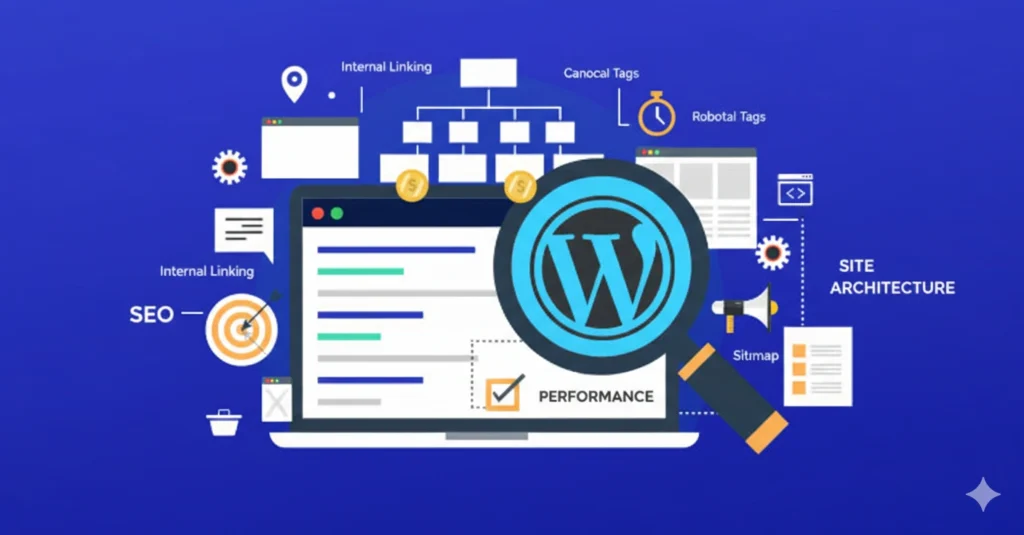
WordPress site architecture refers to how your website content is organized, linked, and delivered to users and search engines. It includes page hierarchy, URLs, internal linking, menus, categories, performance setup, and technical structure.
Good architecture answers three important questions clearly:
- What pages exist on the site
- How those pages relate to each other
- How easily users and search engines can access them
When these elements are aligned, your website becomes easier to navigate, faster to load, and more visible in search results.
Why Site Architecture Matters for SEO and Performance
Search engines use automated systems to crawl and index websites. If your site structure is confusing or bloated, important pages may not be discovered or ranked correctly. At the same time, users expect fast loading and intuitive navigation.
Strong WordPress architecture improves:
- Crawl efficiency for search engines
- Internal link equity distribution
- Page speed and performance metrics
- User experience and engagement
- Scalability for future growth
Google rewards websites that are clear, fast, and helpful. Architecture is the foundation that supports all three.
Plan a Clear Page Hierarchy
Every WordPress website should have a logical hierarchy. This means organising pages from general to specific in a way that makes sense to users and search engines.
A simple hierarchy looks like this:
- Homepage
- Main service or category pages
- Supporting or detail pages
Avoid creating deep structures where users must click through many levels to reach important content. Ideally, key pages should be reachable within three clicks from the homepage.
Use parent and child pages carefully in WordPress. This helps create clear relationships between content while keeping URLs structured and readable.
Use Clean and Consistent URLs
URLs are an important part of site architecture. WordPress allows flexible URL structures, but best practice is to keep them simple and descriptive.
Good URLs are:
- Short and readable
- Based on words, not IDs
- Free from unnecessary parameters
- Consistent across the site
For example, a service page URL should clearly describe the service instead of using random strings. This helps users understand the page and helps search engines identify relevance.
Avoid changing URLs frequently. If changes are necessary, always use proper redirects to preserve SEO value.
Build a Strong Internal Linking Structure
Internal linking connects pages across your website. It helps search engines discover content and understand page importance. It also guides users toward relevant information.
Best practices for internal linking include:
- Linking from high authority pages to important pages
- Using descriptive anchor text
- Avoiding excessive links on a single page
- Ensuring all important pages receive links
WordPress menus, footer links, and contextual links inside content all contribute to a strong internal link structure.
Do not rely only on navigation menus. Contextual links inside blog posts and pages are essential for SEO.
Organise Content Using Categories and Tags Properly
WordPress categories and tags help organise blog content, but they must be used carefully.
Categories should represent broad topics and act as content hubs. Tags should describe specific details and variations. Overusing tags or creating duplicate categories creates thin pages that add no SEO value.
Best practice is to:
- Use a limited number of meaningful categories
- Avoid duplicate category and tag names
- Disable indexation of low value tag pages if needed
This keeps your content structure clean and avoids internal competition in search results.
Optimise Navigation for Users and Search Engines
Navigation is a key part of site architecture. Menus should be simple, logical, and focused on important pages.
Primary navigation should include:
- Homepage
- Core services or sections
- About or credibility pages
- Contact or conversion pages
Avoid overcrowding menus with unnecessary links. Dropdown menus should remain easy to scan and usable on mobile devices.
Search engines use navigation links to understand site structure, so clarity matters.
Improve Performance Through Architectural Decisions
Performance is not just about plugins. Site architecture directly affects load speed and Core Web Vitals.
Performance focused architectural practices include:
- Limiting unnecessary plugins
- Using lightweight themes
- Avoiding heavy page builders for simple layouts
- Structuring content efficiently
A well planned site loads fewer resources, reduces server requests, and delivers faster user experiences.
Performance improvements support SEO, conversions, and user satisfaction.
Use a Scalable Content Structure
As your WordPress website grows, architecture becomes even more important. A scalable structure allows you to add new pages, services, and blog posts without creating confusion.
Plan content clusters where blog posts support main pages through internal linking. This builds topical authority and improves ranking potential.
Scalable architecture ensures future growth does not require major restructuring.
Manage Indexation and Crawl Control
Not every page on your WordPress site should be indexed. Architecture includes deciding what search engines should and should not see.
Use no-index for:
- Admin pages
- Duplicate content
- Thin or low value pages
Ensure your sitemap includes only important pages. This helps search engines focus on content that matters.
Clear indexation improves crawl efficiency and ranking signals.
Mobile First Architecture Is Mandatory
Google uses mobile first indexing. Your WordPress site architecture must work perfectly on mobile devices.
Mobile friendly architecture includes:
- Responsive layouts
- Touch friendly navigation
- Fast mobile load times
- Clear content hierarchy
If mobile users struggle, rankings and engagement will suffer regardless of content quality.
Avoid Common WordPress Architecture Mistakes
Some common mistakes include:
- Too many similar pages
- Poor internal linking
- Bloated plugins
- Unclear navigation
- Ignoring performance basics
These issues grow over time and become expensive to fix. Planning architecture early prevents long term problems.
Final Thoughts
WordPress site architecture is the foundation of SEO and performance success. It affects how search engines understand your site and how users experience it. A well structured WordPress website is easier to manage, faster to load, and more likely to rank.
By focusing on clear hierarchy, clean URLs, internal linking, performance, and scalability, you create a site that supports growth rather than limits it.
Strong architecture does not require complexity. It requires planning, clarity, and consistency.
When architecture is done right, everything else works better.
Turn Your WordPress Website into a Strong SEO Foundation. Great content deserves a solid structure. Whether you’re building a new WordPress site or fixing an existing one, I can help you create a clean, scalable architecture that search engines and users understand.
Contact me to discuss your WordPress site and find out how better architecture can improve rankings, speed, and usability.