
Search engines are becoming smarter every year. They no longer rely only on keywords to understand a webpage. Instead, they look for clear signals that explain what the content is about, who it is for, and why it can be trusted. This is where schema markup plays an important role.
Schema markup helps search engines understand your website content more clearly. When implemented correctly, it can improve how your pages appear in search results, increase click-through rates, and support long-term SEO performance.
Let’s explore what schema markup is, why it matters, and how to implement schema markup on a WordPress website using practical, beginner-friendly steps.
What Is Schema Markup?
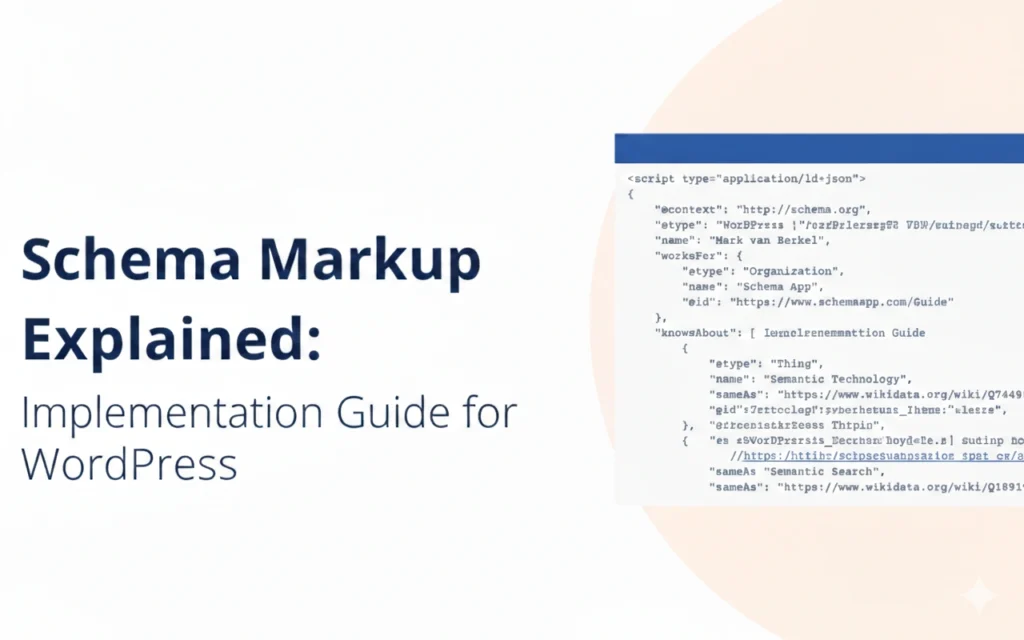
Schema markup is a form of structured data added to your website’s code to help search engines understand the context of your content. It uses a shared vocabulary developed by Schema.org, which is supported by Google, Bing, Yahoo, and Yandex.
Instead of guessing what a page represents, schema markup explicitly tells search engines things like:
- This page is about a local business
- This content is a blog article written by a specific author
- This page contains product pricing and reviews
- This is a frequently asked questions (FAQ’s) section
In simple terms, schema markup turns your content into data that search engines can clearly interpret.
Why Schema Markup Is Important for SEO
Schema markup does not directly improve rankings, but it strongly supports SEO by improving how your content is displayed and understood.
Key SEO Benefits of Schema Markup
Improved Search Appearance
Schema can enable rich results such as star ratings, FAQs, breadcrumbs, event dates, and product pricing. These results stand out visually and attract more clicks.
Higher Click-Through Rate (CTR)
Enhanced listings provide more information directly in search results, increasing user confidence and engagement.
Better Content Understanding
Search engines can accurately classify your pages, reducing ambiguity and improving relevance matching.
Supports E-E-A-T Signals
Author, organisation, reviews, and business schema reinforce trust, credibility, and transparency.
Future-Proof SEO
Structured data helps your website adapt to AI-driven search features, voice search, and knowledge panels.
Schema Markup and Google E-E-A-T
Google’s E-E-A-T framework focuses on content quality and credibility. Schema markup supports this framework in several important ways:
- Experience: Author schema highlights real contributors and credentials
- Expertise: Article and HowTo schema clarify informational depth
- Authoritativeness: Organisation and business schema reinforce brand legitimacy
- Trustworthiness: Review, rating, and contact schema improve transparency
While schema alone does not guarantee trust, it strengthens the signals Google uses to evaluate content quality.
Common Types of Schema Markup You Should Know
Understanding the main schema types helps you apply the right markup to the right pages.
Article Schema
Used for blog posts, news articles, and editorial content. It helps Google understand authorship, publication date, and article structure.
FAQ Schema
Applies to pages with clear question-and-answer sections. It can display FAQs directly in search results.
HowTo Schema
Ideal for step-by-step guides. It may show steps, images, and time estimates in search results.
Local Business Schema
Used for businesses with physical locations or service areas. It includes address, phone number, hours, and services.
Product Schema
Displays pricing, availability, and reviews for eCommerce products.
Review and Rating Schema
Shows star ratings and review data, improving credibility and CTR.
Breadcrumb Schema
Helps search engines understand your site hierarchy and improves navigation display in SERPs.
Schema Markup Formats Explained
Schema markup can be implemented in different formats, but JSON-LD is the recommended and most widely supported option.
JSON-LD (Recommended)
- Easy to implement
- Does not interfere with page layout
- Preferred by Google
- Inserted in the page header or footer
Microdata
- Embedded directly into HTML
- More complex to manage
- Higher risk of implementation errors
RDFa
- Advanced format
- Mostly used in enterprise or semantic web projects
For WordPress users, JSON-LD is the best and safest option.
How to Implement Schema Markup in WordPress
There are two primary ways to add schema markup to WordPress: using plugins or adding custom code.
Method 1: Using Schema Plugins (Recommended)
Plugins are the most practical solution for most WordPress websites, especially for non-technical users.
Popular Schema Plugins for WordPress
Rank Math SEO
- Built-in schema generator
- Supports multiple schema types
- Ideal for blogs, service pages, and businesses
Yoast SEO
- Automatic schema for articles and organisation
- Limited customisation compared to Rank Math
Schema Pro
- Advanced schema mapping
- Suitable for larger websites
All in One SEO (AIOSEO)
- User-friendly interface
- Good for small and medium websites
Steps to Add Schema Using a Plugin
- Install and activate your chosen plugin
- Enable schema features in plugin settings
- Assign schema types to pages or posts
- Fill in required fields (author, business details, FAQs, etc.)
- Save and publish
Plugins automatically generate valid JSON-LD code without manual coding.
Method 2: Manual Schema Implementation (Advanced)
For full control, schema markup can be added manually.
When Manual Implementation Makes Sense
- Custom post types
- Highly specific schema requirements
- Enterprise or developer-managed websites
How Manual Implementation Works
- Generate JSON-LD using Schema.org or Google’s Structured Data tools
- Add the code to your page header or via a custom plugin
- Ensure accuracy and consistency with on-page content
Manual implementation requires technical knowledge and ongoing maintenance.
Best Practices for Schema Markup
To avoid penalties or invalid structured data, follow these best practices:
- Only use schema that matches visible content
- Do not add misleading or fake reviews
- Keep business information consistent across pages
- Avoid excessive or spammy markup
- Update schema when content changes
Schema should enhance clarity, not manipulate search results.
How to Test and Validate Schema Markup
Testing is essential to ensure your schema is correctly implemented.
Recommended Tools
Google Rich Results Test
Checks eligibility for rich results and highlights errors.
Schema Markup Validator
Validates structured data syntax and schema compliance.
Google Search Console
Reports structured data issues and enhancements over time.
Always fix errors and warnings promptly to maintain trust and visibility.
Common Schema Markup Mistakes to Avoid
- Adding schema that does not match page content
- Using outdated or unsupported schema types
- Forgetting required fields
- Marking every page with the same schema
- Ignoring validation errors
These mistakes can reduce effectiveness or cause Google to ignore your schema entirely.
How Schema Markup Fits Into a Broader SEO Strategy
Schema markup works best when combined with:
- High-quality, helpful content
- Strong internal linking
- Technical SEO optimisation
- Clear site architecture
- Trust signals such as reviews and author bios
It should be treated as a supporting SEO asset, not a standalone tactic.
Final Thoughts
Schema markup is no longer optional for websites that want to compete in modern search results. It helps search engines understand your content, improves visibility through rich results, and strengthens trust signals aligned with Google’s E-E-A-T guidelines.
For WordPress users, implementing schema markup is achievable without coding through reliable plugins. When done correctly, it enhances both user experience and long-term SEO performance.
By applying the principles and steps outlined in this guide, you can confidently implement schema markup that supports clarity, credibility, and sustainable growth in search visibility.
Need Help Implementing Schema Markup Correctly?
Schema markup can be powerful, but only when it’s implemented accurately and aligned with your content and SEO strategy. If you want expert guidance on applying schema markup to your WordPress website without errors or guesswork, contact me today. I’ll help you implement structured data that supports visibility, trust, and long-term SEO performance.