WordPress powers over 40% of websites globally, making it a popular choice for businesses, developers, and content creators. When building a WordPress website, one major decision is whether to use custom WordPress development or rely on page builders like Element or, Divi, or Bricks Builder. Both approaches aim to create functional, visually appealing websites, but they differ in flexibility, performance, scalability, and long-term maintenance.
Choosing the right approach can significantly impact website performance, SEO, security, and future scalability. Custom development offers full control and precision but often requires a higher initial investment. Page builders allow faster site creation with minimal coding skills but can introduce performance and maintenance challenges.
This guide explores the technical pros and cons of custom WordPress development and page builders, helping businesses, developers, and marketers make informed decisions based on project requirements, budget, and long-term goals.
Understanding Custom WordPress Development
Custom WordPress development involves building a website from the ground up, using custom themes, plugins, and code tailored to specific business needs. Developers work directly with PHP, JavaScript, CSS, and HTML to create unique functionalities and designs.
Key Advantages:
- Full Flexibility: Developers can implement any feature or layout without being restricted by plugin limitations.
- Optimized Performance: Custom code can be lightweight, resulting in faster load times and better Core Web Vitals.
- Scalable Architecture: Custom websites can be designed to handle growth, from traffic spikes to additional features.
- Enhanced Security: Minimal reliance on third-party plugins reduces vulnerabilities. Developers can implement security best practices.
- SEO-Friendly: Custom development allows full control over site structure, schema markup, and on-page optimization.
Key Considerations:
- Higher Cost & Time: Building a custom WordPress site requires more resources and development time.
- Technical Expertise Needed: Maintenance and updates require skilled developers.
- Longer Deployment: Custom projects typically take longer to launch than pre-built solutions.
Custom WordPress development is ideal for businesses that require unique functionality, high performance, and long-term scalability, such as enterprise websites, SaaS platforms, or eCommerce stores with complex requirements.
Understanding Page Builders
Page builders are plugins that allow users to design and edit websites visually, often with drag-and-drop interfaces. Popular options include Elementor, Divi, WPBakery, and Beaver Builder. They aim to simplify the website creation process, enabling non-developers to build professional-looking websites quickly.
Key Advantages:
- Rapid Development: Drag-and-drop editors make it easy to build pages quickly without writing code.
- User-Friendly Interface: Non-technical users can make content changes, reducing dependency on developers.
- Pre-Built Templates: Many page builders provide templates, modules, and widgets to accelerate design.
- Cost-Effective for Small Projects: Suitable for small businesses or websites with standard functionality.
- Responsive Design Built-In: Most modern page builders handle mobile responsiveness automatically.
Key Considerations:
- Performance Overhead: Page builders can generate extra code, which may slow down page load times.
- Limited Flexibility: While versatile, advanced custom features may be difficult or impossible to implement.
- Plugin Dependence: Future updates or changes may be limited by the builder’s ecosystem.
- SEO Limitations: Excessive code or heavy scripts can negatively affect SEO and Core Web Vitals.
- Long-Term Maintenance: Switching page builders or migrating away can be complicated and time-consuming.
Page builders are ideal for small to medium businesses, marketing landing pages, or simple blogs that need to launch quickly without heavy development resources.
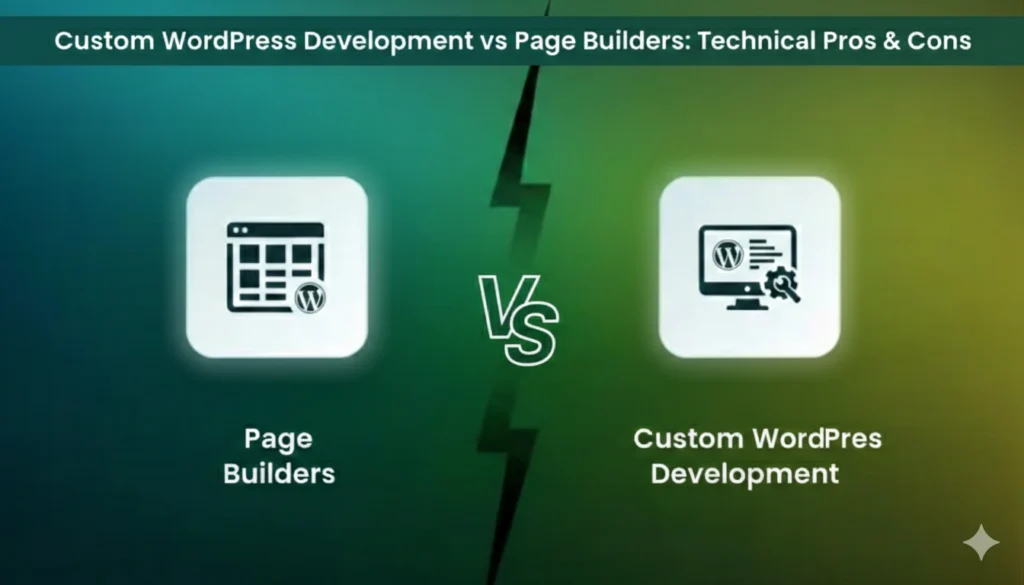
Technical Pros & Cons: A Side-by-Side Comparison
| Feature | Custom WordPress Development | Page Builders |
| Performance | High – optimized code, lightweight, faster Core Web Vitals | Moderate to low – extra scripts and CSS may slow site |
| Flexibility | Unlimited – fully custom features and integrations | Limited to plugin capabilities; complex custom features harder |
| SEO | Full control – structured data, meta optimization, speed | Partial control – may require additional optimization for performance |
| Maintenance | Requires developer support | User-friendly – easier updates but may face plugin conflicts |
| Development Time | Longer – requires custom coding | Shorter – drag-and-drop design with templates |
| Cost | Higher upfront investment | Lower initial cost, potentially higher long-term if site grows |
| Scalability | High – built to grow with business | Moderate – adding custom features may require developer work |
| Security | High – fewer third-party dependencies | Moderate – plugin updates and vulnerabilities may affect security |
| User Control | Content can be managed by CMS, but features need developer | High – users can edit pages directly without coding |
When to Choose Custom WordPress Development
Custom development is preferable when your project requires advanced functionality, performance, and scalability:
- Enterprise Websites: Large businesses with complex systems, multi-site networks, or high traffic volumes.
- eCommerce Platforms: Custom shopping carts, membership systems, and integrations with third-party tools.
- Unique Functional Requirements: Custom plugins, advanced APIs, or interactive web applications.
- Performance-Critical Sites: Websites that require fast loading times, optimized Core Web Vitals, and minimal code bloat.
- Long-Term Scalability: Businesses planning for future growth, complex user journeys, and frequent feature expansion.
Custom development is a strategic investment. It may cost more upfront but reduces long-term maintenance issues, plugin dependence, and performance bottlenecks.
When to Use Page Builders
Page builders are ideal for simpler projects, faster launches, and small business websites:
- Marketing Landing Pages: Quickly build campaign-specific pages with A/B testing capabilities.
- Small Business Websites: Portfolio sites, local businesses, or personal blogs with standard functionality.
- Content-Focused Projects: Blogs or information sites where visual flexibility is more important than complex functionality.
- Limited Development Budget: Businesses without resources for ongoing developer work.
- Frequent Content Updates: Page builders allow non-technical users to edit pages, change layouts, or update visuals easily.
Page builders are best when speed, cost, and ease-of-use are priorities, but they may pose limitations for long-term growth or high-performance needs.
Performance & Core Web Vitals Considerations
Performance is critical for both SEO and user experience. Websites built with page builders may load slower due to:
- Extra JavaScript and CSS generated by the builder
- Large or unnecessary inline code
- Third-party widgets and integrations
Custom development allows lightweight, optimized code, improving LCP (Largest Contentful Paint), CLS (Cumulative Layout Shift), and INP (Interaction to Next Paint) metrics. Faster, more stable sites not only enhance user experience but also improve search rankings and mobile-first performance.
SEO Implications
SEO performance is affected by site speed, code quality, and structural control:
- Custom Development: Full control over meta tags, schema markup, URL structure, and internal linking. Ideal for advanced SEO strategies.
- Page Builders: Can work for basic SEO, but may require additional optimization plugins to reduce code bloat, lazy-load assets, and improve speed.
Businesses aiming for competitive SEO advantages should consider custom development or ensure that page builder sites are fully optimized.
Maintenance, Updates & Scalability
Long-term maintenance and scalability differ significantly:
- Custom Development: Requires developers for updates and feature additions but ensures the site can grow without major restructuring.
- Page Builders: Easier for non-developers to manage content, but updating the builder, switching themes, or removing the builder later can cause significant issues.
Scalability is crucial for businesses expecting traffic growth, eCommerce expansion, or multi-language sites. Custom development provides the most predictable path.
Security Considerations
- Custom Development: Limited reliance on third-party plugins reduces vulnerabilities. Developers can implement security best practices like code sanitization, secure login, and firewall integration.
- Page Builders: Dependence on third-party plugins increases risk of vulnerabilities. Builder updates may introduce conflicts or security gaps if not managed properly.
For high-traffic or enterprise-level sites, security and compliance often favor custom development.
Cost Analysis
- Custom Development: Higher upfront cost due to skilled developer time but lower ongoing plugin costs and predictable performance.
- Page Builders: Lower initial cost, but may require additional plugins for functionality, potentially increasing long-term expenses.
The total cost of ownership should be considered over 3–5 years, not just initial investment.
Conclusion
Choosing between custom WordPress development and page builders depends on your business goals, budget, timeline, and technical needs.
- Custom Development is ideal for websites that require performance, flexibility, security, and scalability. It is a strategic investment for long-term growth, advanced functionality, and SEO performance.
- Page Builders are suitable for quick launches, small businesses, marketing campaigns, and content-driven sites where ease-of-use and speed matter more than custom features.
A hybrid approach is sometimes possible: custom development for core features combined with page builders for content management. This ensures both technical excellence and operational flexibility.
Ultimately, the right choice should balance performance, usability, cost, and long-term scalability.
Need help deciding whether custom development or a page builder is best for your WordPress website? Contact me today for a technical assessment and strategy tailored to your needs.