Core Web Vitals are a set of performance metrics defined by Google to measure real user experience on websites. For WordPress, SaaS, and eCommerce businesses in the United States, Core Web Vitals directly impact search rankings, conversion rates, and customer trust. These metrics are not abstract technical signals. They represent how fast your pages load, how stable your layout feels, and how responsive your site is during user interactions. Google uses real-world data collected from Chrome users to evaluate these signals, which means performance issues affect actual visitors, not just test tools.
This guide explains Core Web Vitals from a technical SEO perspective while keeping the language clear and practical. Whether you run a SaaS product, an online store, or a WordPress-based business website, understanding these metrics helps you build faster, more reliable, and more profitable digital experiences.
What Are Core Web Vitals and Why They Matter for SEO
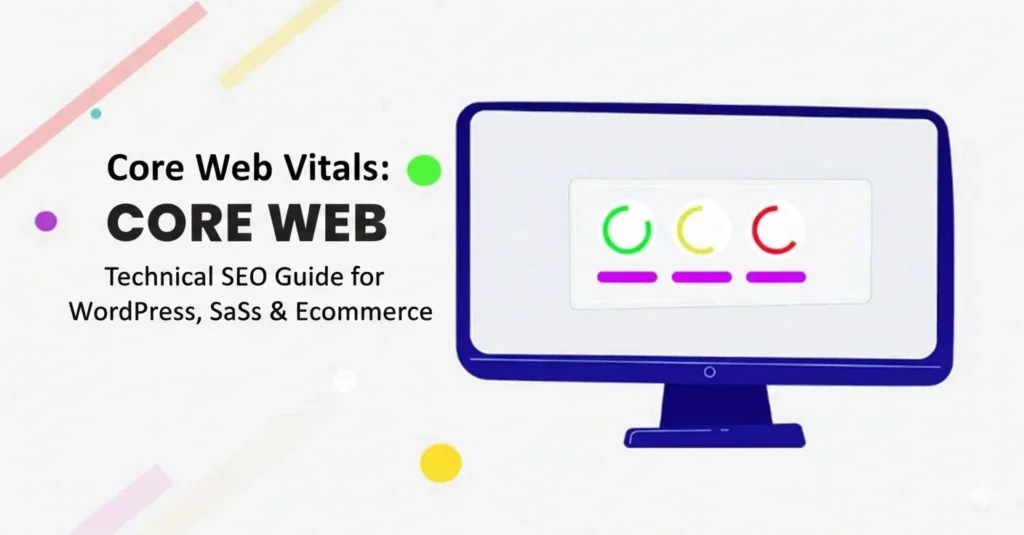
Core Web Vitals focus on three specific user experience metrics: Largest Contentful Paint, Cumulative Layout Shift, and Interaction to Next Paint. Each metric evaluates a different aspect of page performance. Google considers these metrics as part of its page experience ranking system, especially for competitive keywords in the US market.
For SaaS platforms, slow load times reduce trial sign-ups and product engagement. For eCommerce stores, performance issues increase cart abandonment and reduce revenue. WordPress sites often struggle due to heavy themes, plugins, and third-party scripts. Core Web Vitals help identify these problems using measurable standards.
Passing Core Web Vitals does not guarantee top rankings, but failing them creates a competitive disadvantage. Google rewards websites that deliver fast, stable, and responsive experiences, especially on mobile devices where most US users browse and shop.
Largest Contentful Paint (LCP): Optimizing Perceived Load Speed
Largest Contentful Paint measures how long it takes for the main content of a page to become visible. This is usually a hero image, banner, product image, or large text block. Google recommends an LCP score of 2.5 seconds or less for good performance.
On WordPress sites, LCP issues often come from unoptimized images, slow hosting, render-blocking CSS, and heavy page builders. SaaS platforms struggle when dashboards load large JavaScript bundles before showing meaningful content. eCommerce stores often delay LCP by loading sliders, promotional banners, or uncompressed product images.
To improve LCP, prioritize server performance by using fast hosting, CDN delivery, and optimized caching. Compress and properly size images, especially above-the-fold visuals. Use modern formats like WebP. Eliminate unnecessary CSS and load critical styles early. For JavaScript-heavy SaaS apps, defer non-essential scripts and reduce bundle sizes.
Improving LCP creates faster first impressions, which increases trust and reduces bounce rates.
Cumulative Layout Shift (CLS): Preventing Visual Instability
Cumulative Layout Shift measures how much the layout moves while a page loads. Unexpected shifts frustrate users, especially on mobile devices. Google considers a CLS score below 0.1 as good.
CLS issues are common on WordPress and eCommerce sites due to ads, dynamic content, images without size attributes, and late-loading fonts. SaaS interfaces may trigger CLS when components load asynchronously or when banners and notifications appear after the page renders.
To reduce CLS, always define width and height attributes for images, videos, and embeds. Reserve space for ads and dynamic elements before they load. Avoid inserting content above existing content unless triggered by a user action. Use font display strategies like swap to prevent layout changes when fonts load.
A stable layout improves usability, reduces misclicks, and increases conversions across all industries.
Interaction to Next Paint (INP): Measuring Real Interactivity
Interaction to Next Paint measures how quickly a page responds after a user interacts with it. This includes clicking buttons, opening menus, or submitting forms. Google recommends an INP score under 200 milliseconds.
INP is especially important for SaaS dashboards, checkout flows, and interactive WordPress features. High INP values usually result from excessive JavaScript execution, long main-thread tasks, and inefficient event handling.
To improve INP, reduce JavaScript payloads and remove unused scripts. Break long tasks into smaller chunks using modern APIs. Optimize third-party tools such as chat widgets, analytics, and tracking pixels. Use efficient frameworks and ensure components render only when needed.
Responsive interactivity makes applications feel faster and more reliable, which directly impacts user satisfaction and retention.
Core Web Vitals for WordPress Websites
WordPress sites often face performance challenges due to themes, plugins, and hosting limitations. Page builders, animation effects, and multiple plugins increase CSS and JavaScript load.
Start by choosing performance-focused hosting optimized for WordPress. Use lightweight themes and limit plugins to essential functionality. Implement full-page caching, object caching, and a CDN. Optimize images automatically and lazy load non-critical assets.
Audit plugins regularly and remove unused features. Avoid excessive third-party scripts. Use performance plugins to manage script loading and critical CSS generation. WordPress can meet Core Web Vitals standards when properly configured.
Core Web Vitals for SaaS Platforms
SaaS websites often rely heavily on JavaScript frameworks, APIs, and real-time interactions. These can negatively affect INP and LCP if not optimized.
Focus on server-side rendering or hybrid rendering for landing pages and marketing content. Optimize API responses and reduce client-side processing. Monitor performance on authenticated and unauthenticated pages separately.
Use performance budgets to control script size growth over time. Regularly test new features for their impact on Core Web Vitals. A fast SaaS experience builds credibility and improves customer acquisition.
Core Web Vitals for eCommerce Stores
For eCommerce businesses, Core Web Vitals directly influence revenue. Slow product pages reduce conversions, and unstable layouts hurt checkout completion.
Optimize product images and preload key assets. Simplify checkout flows and remove unnecessary scripts during purchase steps. Ensure third-party tools do not block interactivity. Mobile optimization is critical, as most US shoppers browse on smartphones.
Performance improvements lead to higher search visibility, better user experience, and increased sales.
Measuring and Monitoring Core Web Vitals
Use Google Search Console, PageSpeed Insights, and Chrome User Experience Report to monitor real user data. Combine lab tools with field data to identify persistent issues.
Track performance changes after updates, plugin installs, or feature releases. Core Web Vitals optimization is an ongoing process, not a one-time fix.
Aligning Core Web Vitals with Google E-E-A-T
Fast, stable, and responsive websites support Experience, Expertise, Authoritativeness, and Trustworthiness. Performance signals reinforce credibility and professionalism.
For US audiences, performance expectations are high. Optimizing Core Web Vitals strengthens SEO, improves engagement, and supports long-term growth.
Final Thoughts
Core Web Vitals are essential for WordPress, SaaS, and eCommerce success. They connect technical SEO with real user experience. By focusing on LCP, CLS, and INP, businesses can create faster, more reliable websites that rank better and convert more users. Investing in performance optimization is not optional.
Struggling with Core Web Vitals or technical SEO issues? Contact me today for a detailed audit and actionable fixes that improve performance, rankings, and user experience.