WordPress powers more than 40% of websites on the internet, yet many people only interact with it at the surface level, installing themes, adding plugins, and publishing content. Behind this simple interface, however, WordPress runs on a powerful and well-structured system that makes it flexible, scalable, and developer-friendly.
Understanding how WordPress works behind the scenes helps you make better decisions, whether you are a website owner, a designer, or someone learning WordPress development. In this guide, we will break down the core concepts of themes, plugins, hooks, and actions in a clear and practical way, without unnecessary technical complexity.
The Core of WordPress: How Everything Starts
At its heart, WordPress is a PHP-based content management system (CMS) that works with a MySQL database. When a user visits a WordPress website, several things happen in the background:
- The web server receives a request (for example, loading a page).
- WordPress core files are loaded.
- The database is queried for content and settings.
- The active theme determines how the content is displayed.
- Plugins modify or extend functionality.
- The final HTML is sent to the browser.
This entire process happens in milliseconds. What makes WordPress powerful is how cleanly these responsibilities are separated, core, theme, and plugins each have their own role.
WordPress Themes: Controlling the Appearance
What Is a WordPress Theme?
A WordPress theme controls how your website looks, not what it does. It defines the layout, typography, colors, and overall visual presentation of your site.
A theme is made up of PHP files, CSS stylesheets, JavaScript files, and template parts that tell WordPress how to display content like posts, pages, headers, and footers.
Key Theme Files Explained
Some common theme files include:
- style.css – Contains the theme’s styling and basic information.
- index.php – The main fallback template.
- header.php & footer.php – Shared layout sections.
- single.php – Controls how individual blog posts appear.
- page.php – Controls how pages are displayed.
- functions.php – Adds theme-specific functionality.
The functions.php file is especially important. It allows developers to register menus, add theme support features, enqueue scripts, and interact with WordPress hooks.
Themes Do Not Add Business Logic
A common mistake is adding too much functionality into a theme. Best practice is:
- Themes handle design
- Plugins handle functionality
This separation ensures your website continues to work even if you change the theme.
WordPress Plugins: Extending Functionality
What Is a Plugin?
A plugin is a package of code that adds or modifies functionality in WordPress without changing core files. Plugins allow WordPress to remain lightweight while still being endlessly expandable.
Examples of plugin functionality include:
- SEO optimization
- Security
- Contact forms
- Performance caching
- E-commerce (WooCommerce)
How Plugins Work Behind the Scenes
When WordPress loads, it:
- Reads the list of active plugins from the database.
- Loads each plugin’s main PHP file.
- Executes the plugin code at specific points using hooks.
Plugins rely heavily on hooks, which allow them to connect to WordPress at the right time.
Why Plugins Are So Powerful
Plugins can:
- Modify queries
- Add admin dashboard features
- Change front-end output
- Connect external APIs
- Automate tasks
All of this happens without touching WordPress core, which keeps updates safe and secure.
Hooks: The Backbone of WordPress Customisation
Hooks are what make WordPress flexible. They allow developers to “hook into” WordPress at specific moments during execution.
There are two main types of hooks:
- Actions
- Filters
Let’s look at each one separately.
Actions: Doing Something at a Specific Time
What Are Actions?
Actions allow you to run custom code at a specific point in the WordPress lifecycle.
For example:
- When WordPress loads
- When a post is published
- When the admin dashboard loads
- When a page header is rendered
Actions do not return data. They simply perform a task.
Simple Action Example (Conceptual)
An action might be used to:
- Load custom scripts
- Create a custom post type
- Send an email notification
- Add content to the header or footer
Behind the scenes, WordPress says:
“When this event happens, run any functions attached to it.”
This event-based system keeps WordPress organised and predictable.
Filters: Modifying Data Before Output
What Are Filters?
Filters allow you to modify data before WordPress outputs it. Unlike actions, filters receive data, change it, and return it.
Examples include:
- Changing post content before display
- Modifying titles
- Adjusting excerpt length
- Editing menu output
Why Filters Are Important
Filters allow customisation without rewriting core logic. This makes WordPress:
- More secure
- Easier to maintain
- Easier to extend
Filters are widely used by themes and plugins to fine-tune behaviour.
How Themes and Plugins Use Hooks Together
Themes and plugins communicate with WordPress through hooks. This creates a clean workflow:
- WordPress triggers a hook.
- Themes and plugins listen for that hook.
- Attached functions run in order.
This system allows:
- Multiple plugins to work together
- Themes to remain lightweight
- Developers to avoid conflicts
For example, a theme might add layout support, while a plugin modifies content, all without knowing about each other.
The WordPress Execution Flow (Simplified)
To understand how everything connects, here is a simplified flow:
- WordPress core loads
- Active plugins load
- Theme functions load
- Hooks are triggered
- Database queries run
- Content is assembled
- HTML output is generated
Each step is controlled using hooks, making the system flexible but structured.
Why WordPress Is Developer-Friendly
WordPress is often misunderstood as “just a blogging platform.” In reality, it is a full application framework.
Key developer benefits include:
- Clear separation of concerns
- Hook-based architecture
- Strong backward compatibility
- Large ecosystem
- Secure core updates
This is why WordPress can power everything from simple blogs to enterprise websites.
Common Mistakes to Avoid
Even experienced users make these mistakes:
- Adding core functionality in themes instead of plugins
- Using too many poorly coded plugins
- Editing WordPress core files
- Ignoring hooks and hard-coding changes
- Overloading the functions.php file
Understanding how WordPress works behind the scenes helps avoid these issues and keeps websites stable and scalable.
How This Knowledge Helps Website Owners
You do not need to be a developer to benefit from this understanding. Knowing how WordPress works helps you:
- Choose better themes and plugins
- Communicate clearly with developers
- Avoid breaking changes
- Plan scalable website growth
- Maintain long-term performance
It also helps you identify when custom development is necessary instead of relying on plugins.
Final Thoughts
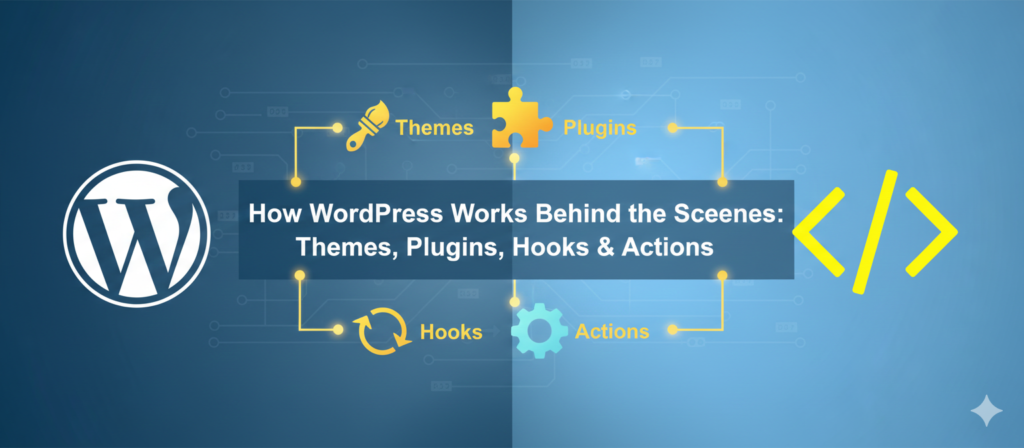
WordPress works because of its smart architecture. Themes control appearance, plugins handle functionality, and hooks connect everything together without breaking the core system. This modular design is what makes WordPress flexible, secure, and future-proof.
Whether you are running a business website, managing client projects, or learning WordPress development, understanding what happens behind the scenes gives you confidence and control.
A well-built WordPress website is not about using more tools, it is about using the right structure.
Need help building or optimizing your WordPress website? Get in touch to discuss your project.